This accessibility check is limited. Another accessibility checking tool is necessary to ensure your website meets accessibility requirements. The dashboard links to the Axe Report and the WAVE (web accessibility evaluation) tool for additional accessibility review. Either these or another accessibility checker must be used for an additional accessibility review
Sample Dashboard
Requesting Your Website on Accessibility Dashboard
The following information is needed during the request for the Accessibility Dashboard Report.
- Title of website
- Sitemap URL or list of individual URLs (CSV file)
- For WordPress, see WordPress Sitemap information below
- WordPress or a non-WordPress website
- Content selector option
Example: #wsu-content (WordPress content container)- See Content Selector information below.
- URL paths to ignore (CVS file)
Example: /profile/** - Website Owner and Accessibility Proxy (if used) name and email address
Request a Digital Accessibility Report
Additional Details For Accessibility Dashboard Form
WordPress Sitemap
Activate the Google XML Sitemaps plugin to generate the sitemap URL.
Content Selector
Using the content selector allows the accessibility checker to review only the content area of the web page. The content selector avoids reporting on global sections such as the header, footer, or navigation.
Do not request the content selector if you have manipulated the header, footer, or menu on a website with custom HTML, additional CSS, or JavaScript.
Axe Report and WAVE (web accessibility evaluation) will check the whole web page. They do not have the content selector option.
For WordPress websites
The WordPress content selector is #wsu-content. The Accessibility Dashboard Sample has a purple line around the content area.
For non-WordPress websites
For non-WordPress, provide the content selector if you only need the content to check.
Using the Accessibility Checker
Dashboard
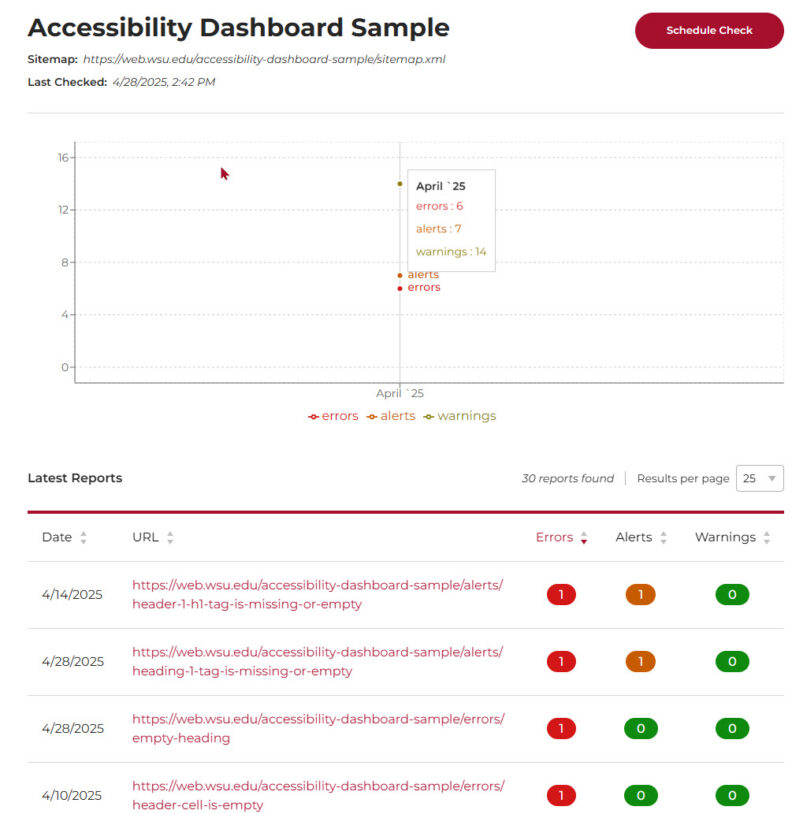
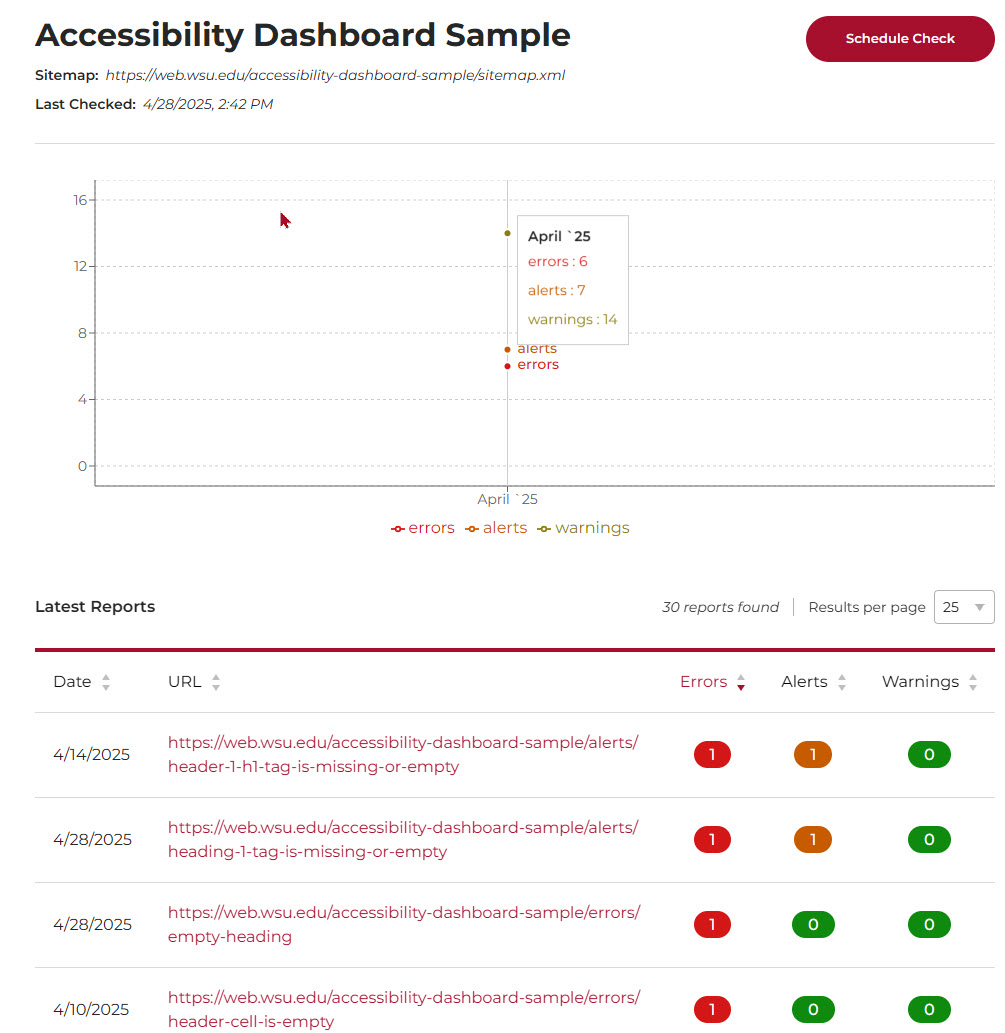
Your website dashboard includes the sitemap URL, Schedule Check button, a chart for the historical data from the monthly checks, a table of the webpages, and the number of errors, alerts, and warnings on the individual pages. private, or password-protected.
Private and password-protected web pages are not checked. Accessibility Dashboard does not check web pages using the Content Visibility plugin. These pages must be checked with an additional tool. You must use another tool, like Axe Report, WAVE, or another accessibility checker. WordPress web pages have the Accessibility and Usability Panel and a link to the web page in WAVE.
Web pages MUST be checked with an additional tool, like Axe Report or WAVE.
Deleted pages and URL changes are updated with the sitemap updates and scheduled check.
Schedule Check Button
Once selected, the website reenters the queue for checking. The results are not immediate.
Note: Until the Schedule Check button is fixed, use the Check now link on the Individual Web Page (URL).
Latest Reports Table
The report table includes the last checked date, the page’s last checked date, its URL, plus the number of errors, alerts, and warnings from the last checked date. Selecting the URL in this table delivers the individual report for the page.
Individual Web Pages (URL)
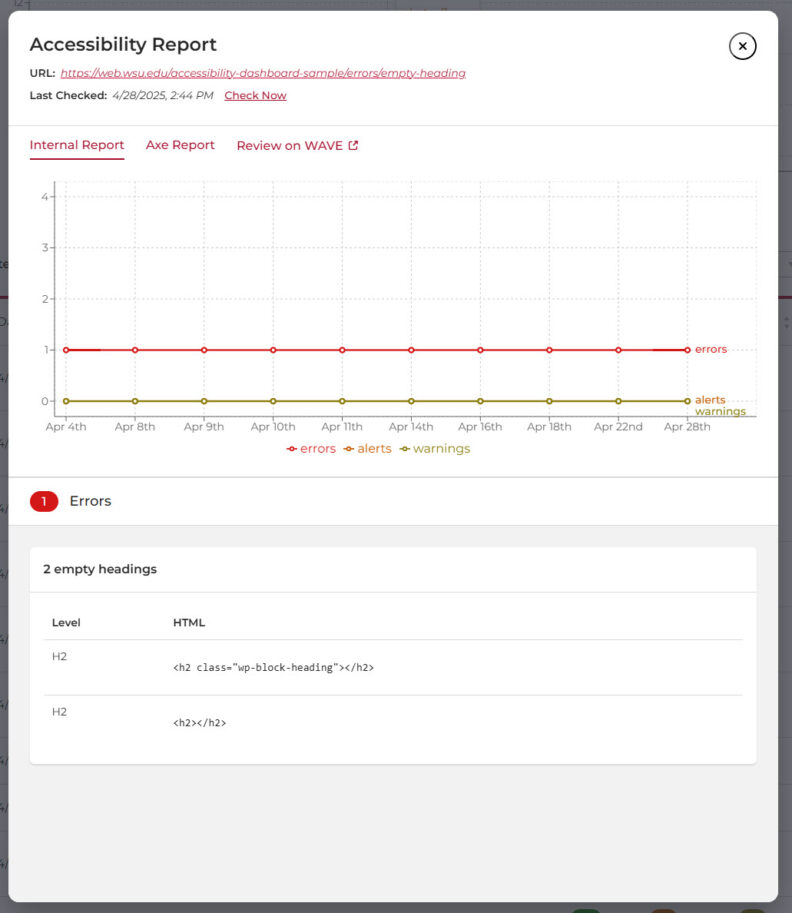
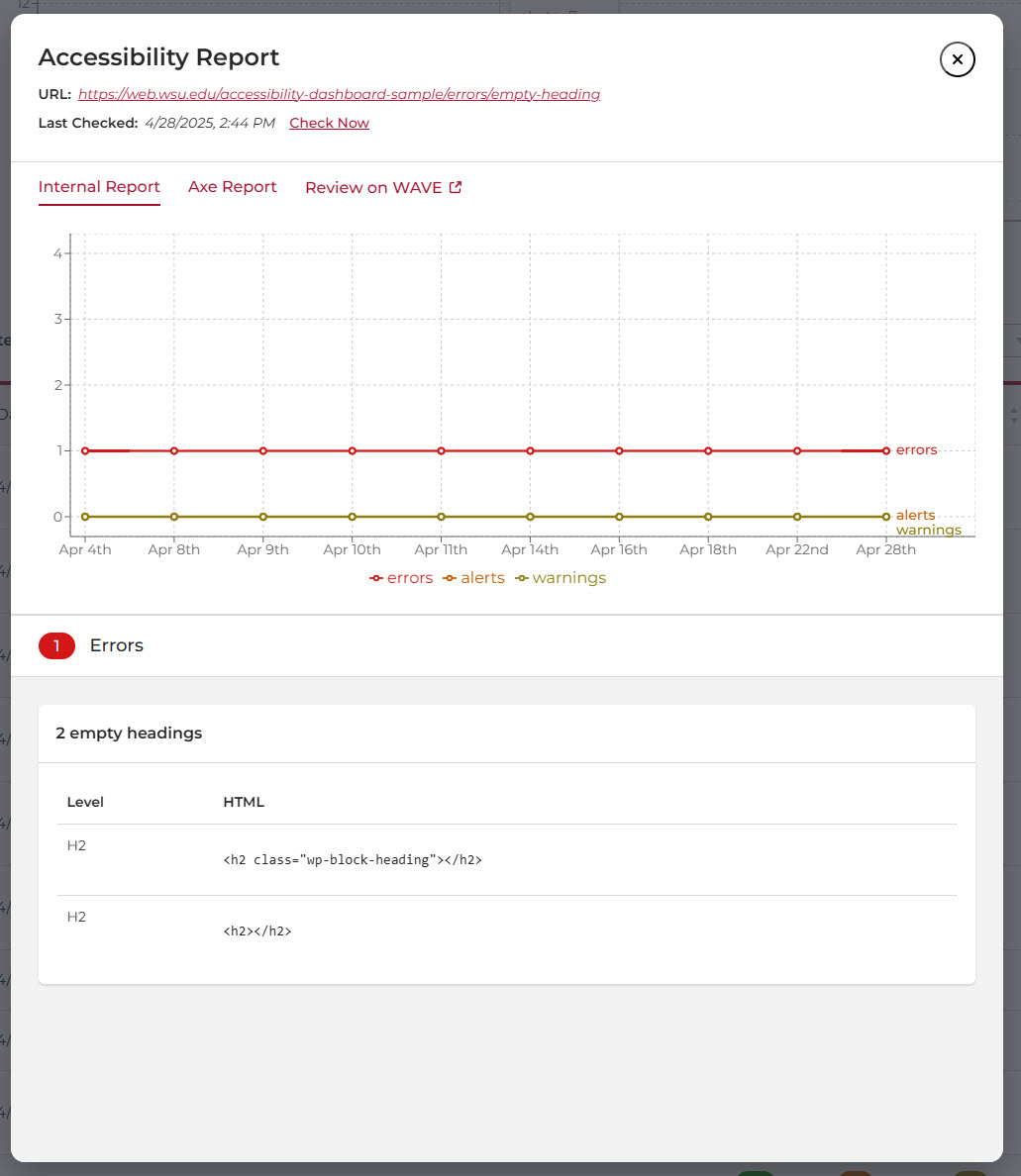
Select the URLs from the table to view the individual report. This report included a link to the web page (URL), date of last checked, check now link, links for additional checks (Axe Report and WAVE), the historical data chart, and the errors, alerts, and warnings found on the web page.
Web pages MUST be checked with an additional tool, like Axe Report or WAVE.
Selecting the Check now link will send the individual page through the Accessibility Dashboard again. The Latest Checked date changes and updates the Errors, Alerts, and Warnings.
Questions
Submit a web support ticket for General Help if you have any questions about your Accessibility Dashboard or report.